Step 4
Every member sized, every piece counted.
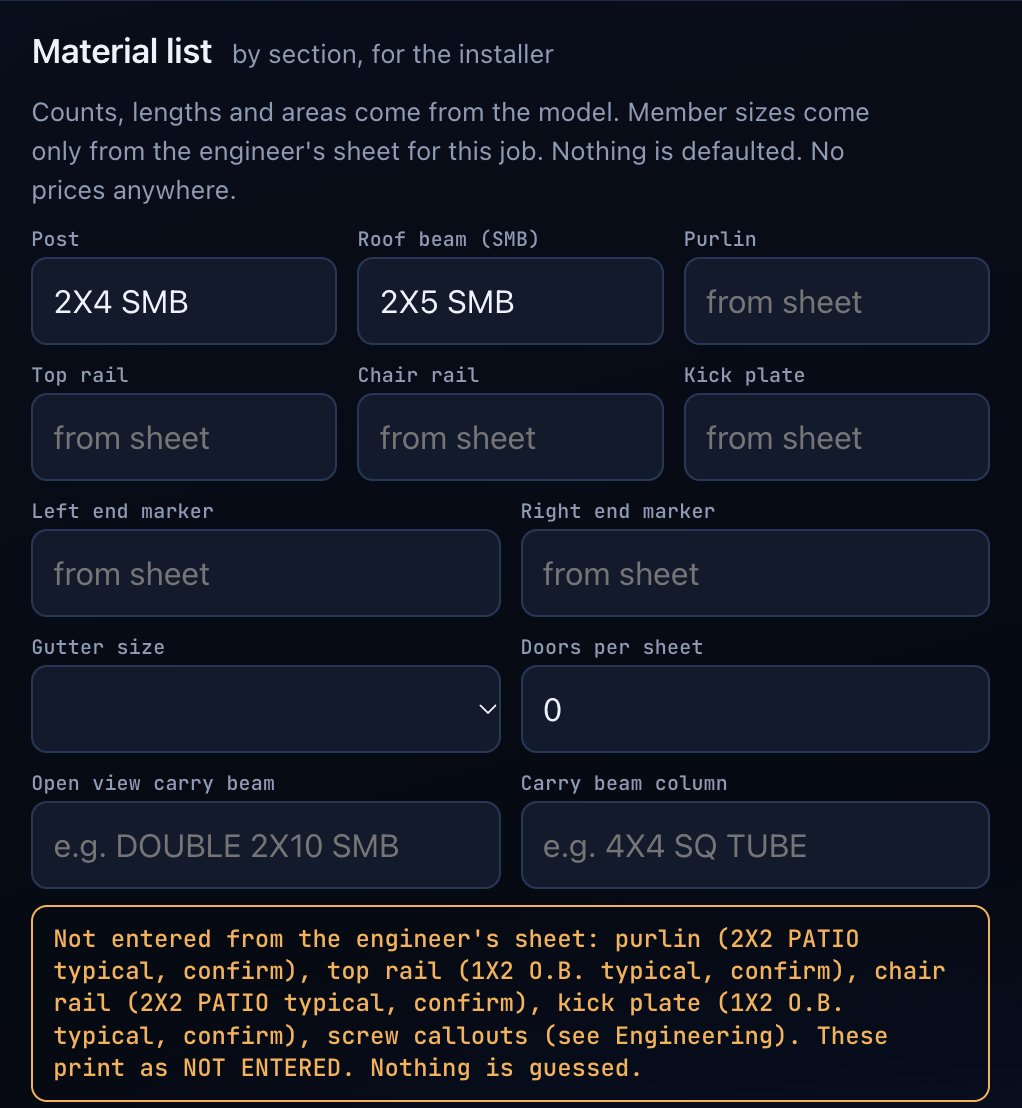
Counts, lengths and areas come from the model. Member sizes come only from the engineer's sheet. The installer packet prints with your job name and the layout sheets.
A material list the installer can trust.
Counts, lengths and areas come from the model. Member sizes come only from the engineer's sheet for the job. Anything not entered prints as NOT ENTERED. Nothing is guessed, and the list carries no prices.
- Organized by section for the installer
- Roof, riser, front wall, left wall and right wall
- Posts, roof beams, purlins, rails, kick plates, screen, doors and gutter
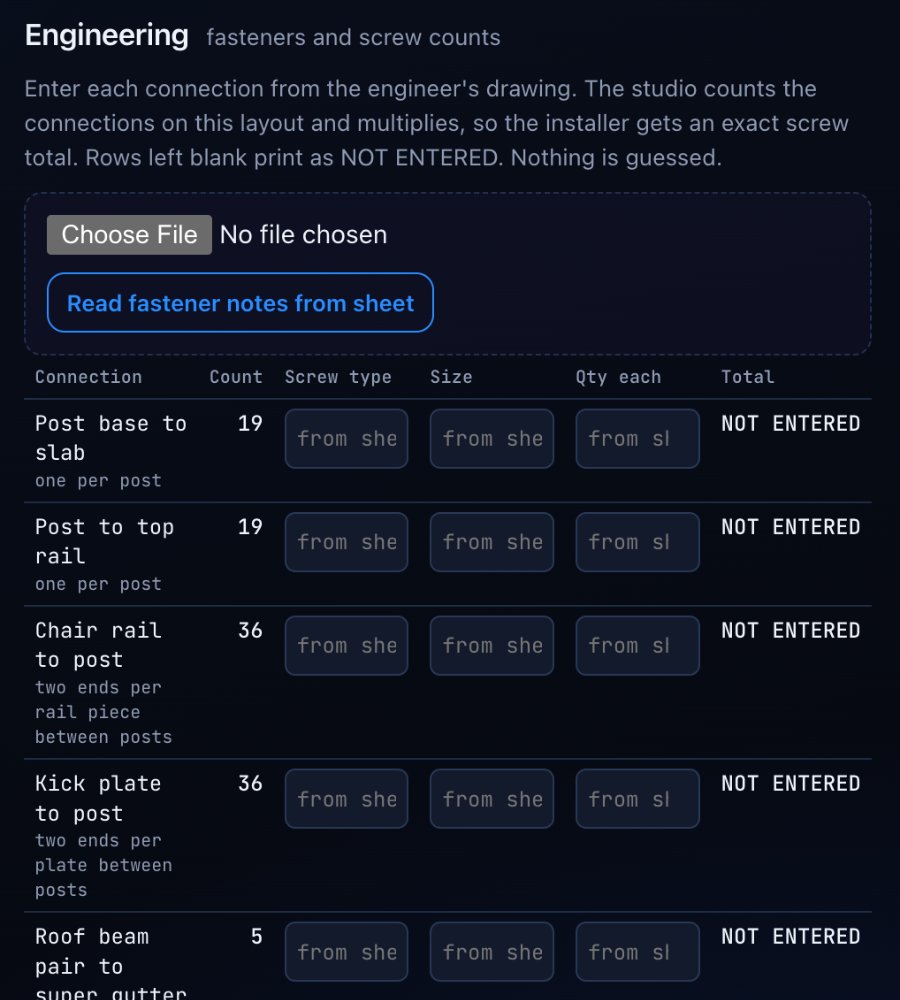
Screw counts from the engineer's drawing.
Enter each connection from the engineer's drawing. The app counts the connections on the layout and multiplies, so the installer gets an exact screw total. Or read the fastener notes from the sheet.
- Post base to slab, post to top rail, chair rail to post, kick plate to post
- Roof beam pair to super gutter and to the front top rail
- End rafter and purlin connections
- Rows left blank print as NOT ENTERED
The model checks itself against the sheet.
Run layout tests and the app compares the model and material engine to the engineer's printed sheets. Disagreements show as flags. The sheet's own typos are listed, not silently fixed.
Your engineer's layout prints as every layout sheet, Overall, Lanai and left wall, Front wall, Right wall, Roof framing, Order sheet and Site photos. Zoom, fit, full screen, download any sheet as SVG or open all sheets to print.
Put it on your crew's phones.
Licenses are for pool enclosure builders and pool companies. Two short steps and the request comes straight to us.